
What is a cold plunge log app?
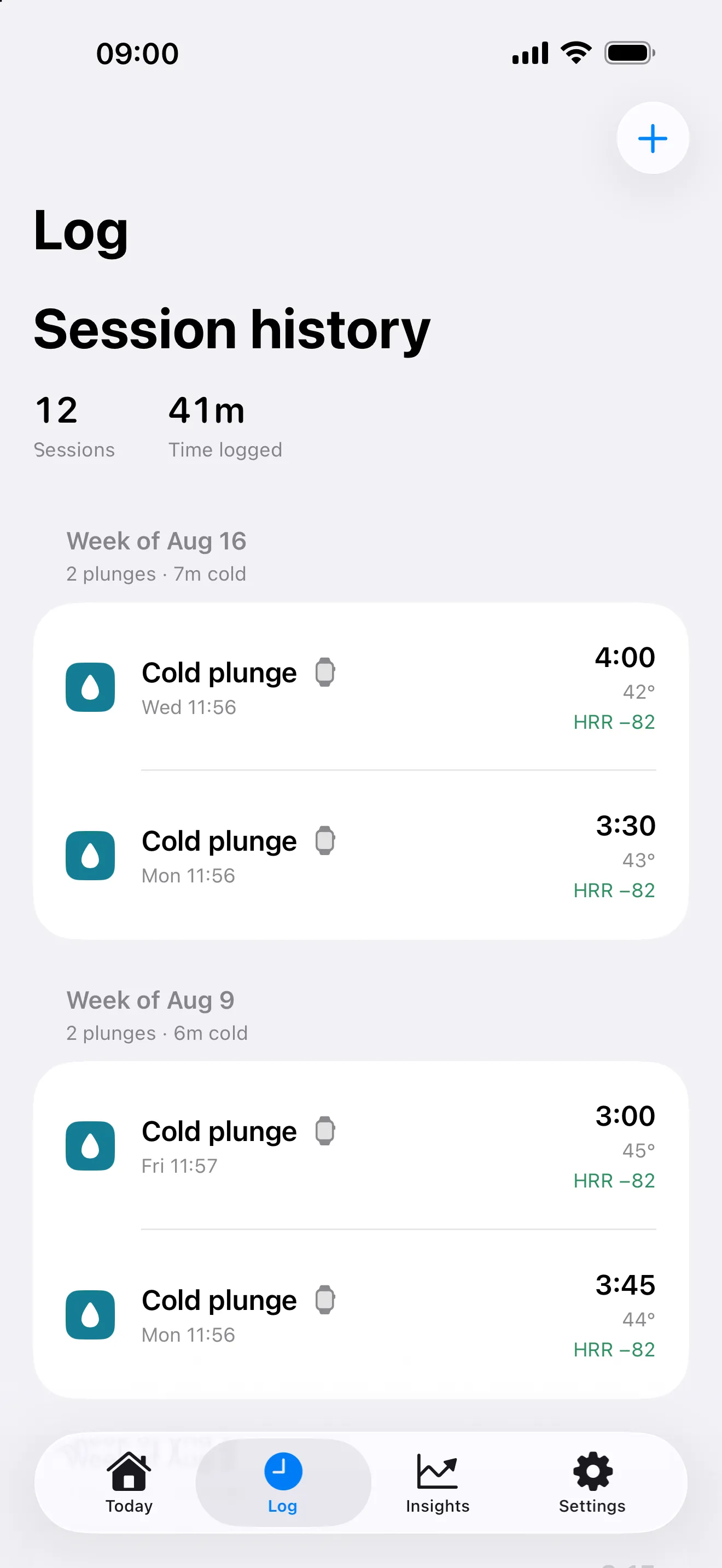
A cold plunge log app keeps a record of your sessions so you can look back at what you actually did. PlungeLab records cold plunges and ice baths as cold-plunge sessions, with duration, optional water temperature, notes, and how the session felt. It works on iPhone, with Apple Watch capture available when you want it.
You don’t need to add ice to use the log. Whether your existing routine uses a tub, a cold pool, or an ice bath, the useful record is the session itself—not the name of the equipment.
How to log an ice bath on iPhone
- Open PlungeLab and choose the manual session entry.
- Choose the session type, date, and duration.
- Add a water temperature if you measured it. Temperature is optional; an estimate shouldn’t be presented as a sensor reading.
- Add any notes, mood, or perceived intensity you want to remember, then save.
Manual logging doesn’t require an Apple Watch or Apple Health access. It also doesn’t recreate heart-rate readings that weren’t captured. The history distinguishes manual sessions from wrist captures, so you can understand where a record came from.
What should you record after a cold plunge?
Duration and date make the session identifiable. Water temperature, when known, adds context. Notes and perceived intensity help you remember differences that a timer alone can’t capture—such as a change in setting or how the session felt to you.
You can review sessions in your history and edit the information you entered. Captured sensor measurements retain their provenance rather than becoming interchangeable with manual values. Keep the record honest: missing information is more useful than invented precision.
PlungeLab also supports cold showers and open-water sessions. Sauna and contrast sessions can be added manually on iPhone. Apple Watch is not intended for sauna heat; log those sessions afterward from your phone.
An ice bath timer or a session journal?
A timer answers “how long?” A session journal helps answer “what did I record last time?” PlungeLab combines Watch-based timing and available heart-rate capture with a history on iPhone. If you prefer to leave devices out of your routine, manual logging is available afterward.
Optional Pro Insights adds comparisons using your history and available Apple Health observations. You can use the session log without waiting for enough data to build a comparison.
Choosing the best cold plunge app for your routine
The best fit depends on how you want to record sessions. Before choosing an app, check whether it supports your phone and Watch, offers manual entry, explains missing sensor data, and makes its privacy and purchase terms easy to find.
Our cold plunge app comparison explains who we built PlungeLab for and compares nine apps by price, Watch support, temperature capture, and privacy, with dated sources.
PlungeLab is designed for iPhone users who want a local session history, with optional Apple Watch capture and personal comparisons. It isn’t an Android app, a web timer, or a coaching service. It doesn’t prescribe a temperature or duration, and it doesn’t treat a longer or colder session as inherently better.
Is the cold plunge log free?
Core session capture and history are free. PlungeLab Pro adds analysis tools through optional purchases. Available products, localized prices, and trial eligibility appear in the app’s purchase sheet and App Store; those are the source of current billing terms.
No PlungeLab account is required. Session and Health data stay on your devices during ordinary app use; purchase validation and support involve limited separate data handling. Read the privacy policy and purchase terms.
PlungeLab records your routine, not whether it is safe. Read the safety warnings before use.

Questions before downloading? Talk to the team.