
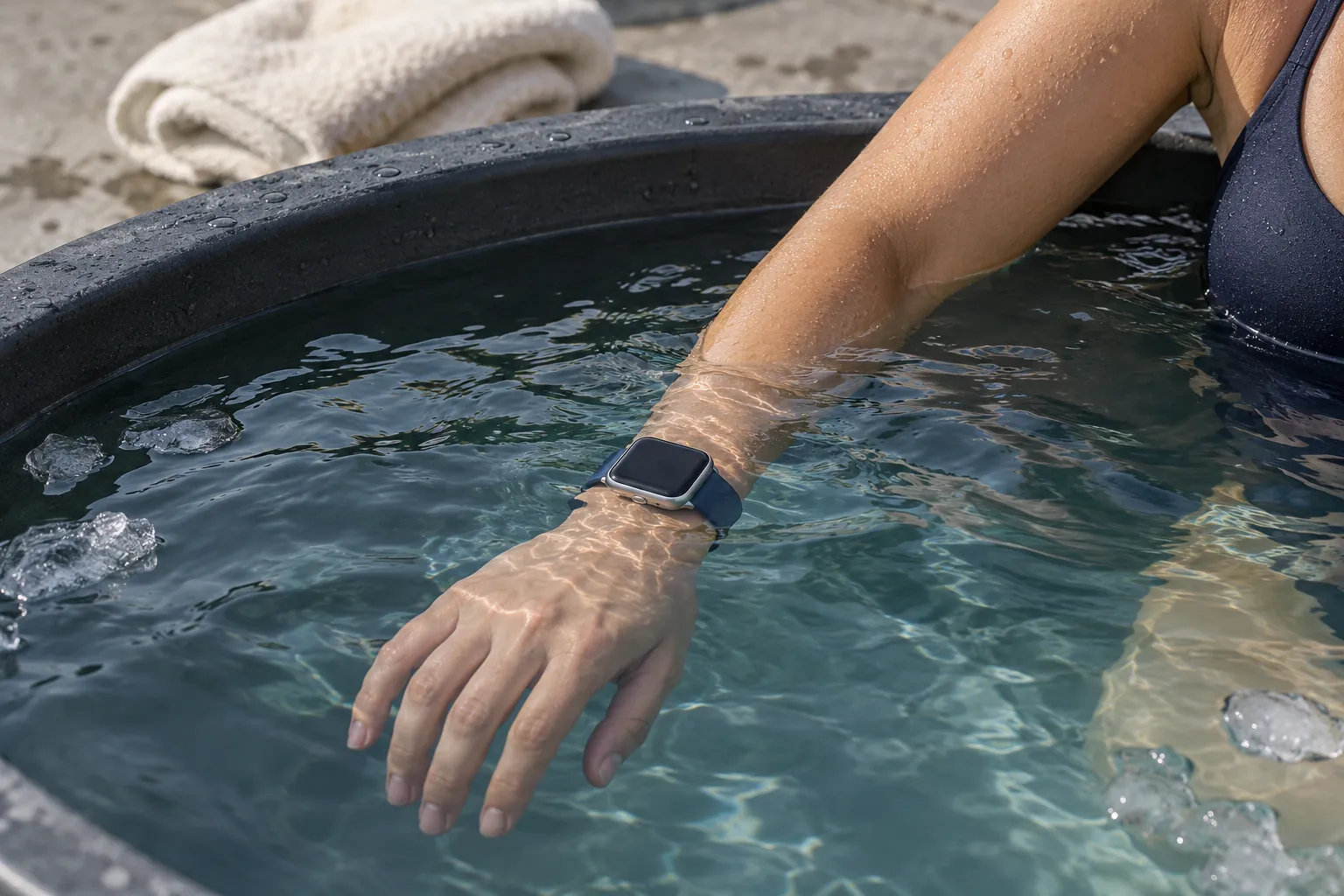
Yes—Apple Watch Series 10 and later and all Apple Watch Ultra models can measure water temperature. Apple Watch SE models and Series 9 or earlier cannot. On supported hardware, readings are available through the Depth app and compatible apps. Water-temperature sensing is separate from the wrist-temperature feature used during sleep.
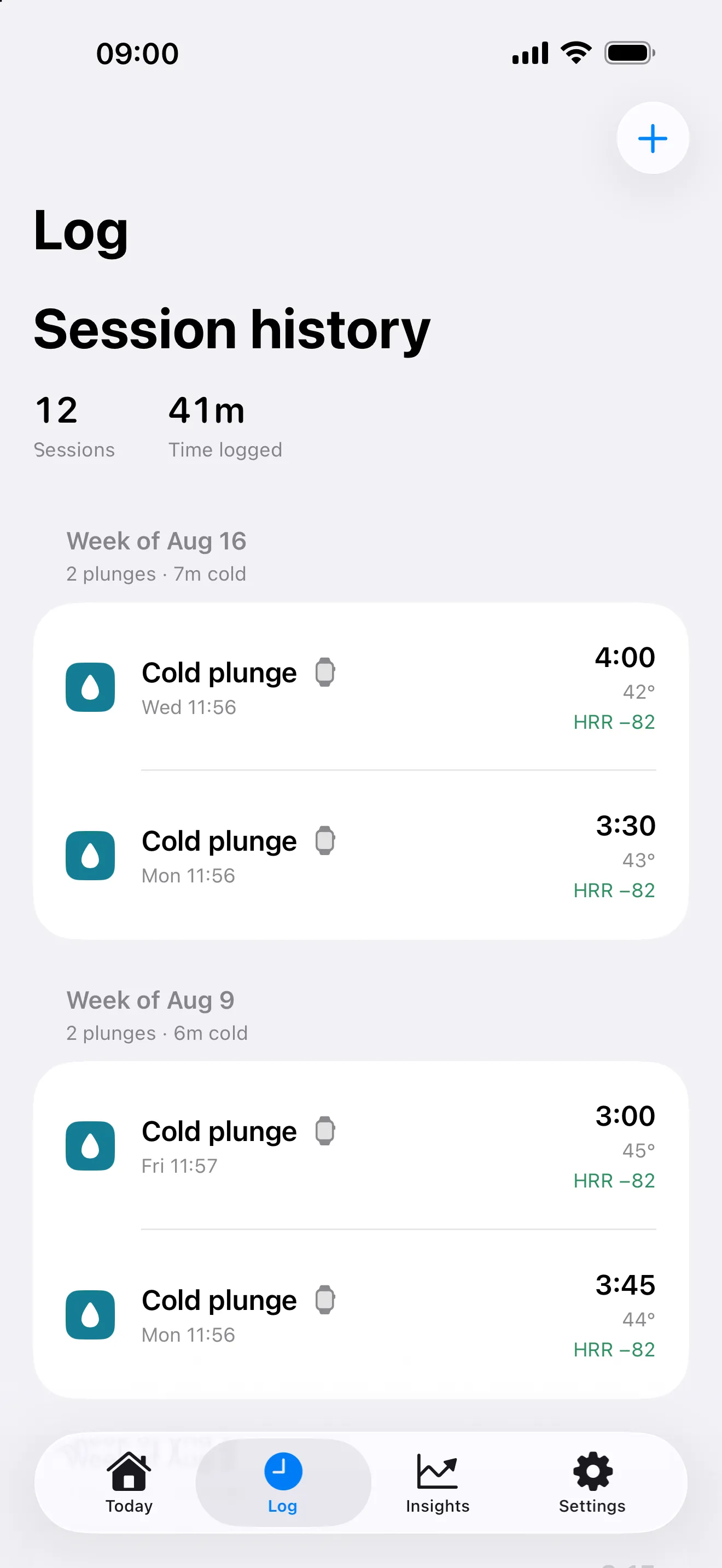
For a cold plunge, the next question is whether that reading becomes part of a useful session record. PlungeLab brings available water temperature, duration, and heart rate into a saved history, with manual temperature entry when you need it. First, check what your Watch can actually measure.
Which Apple Watch models measure water temperature?
The table separates the water sensor from Apple’s depth specifications. A water-resistance rating alone does not tell you whether a Watch can measure temperature.
Scroll to read the full table →
| Apple Watch model | Water-temperature sensor | Depth gauge | Apple source |
|---|---|---|---|
| Series 12 | Yes | To 6 m | Series 12 specifications |
| Series 11 | Yes | To 6 m | Series 11 specifications |
| Series 10 | Yes | To 6 m | Series 10 introduction |
| Ultra, Ultra 2, Ultra 3, Ultra 4 | Yes | Depth app supports use to 40 m | Apple underwater guide |
| SE, SE 2, SE 3 | No | No underwater depth gauge | Apple model comparison |
| Series 9 and earlier | No | No underwater depth gauge | Apple model comparison |
Checked October 23, 2026. Apple’s current specifications include Series 12 and Ultra 4. These are hardware facts, not a claim that we have physically tested PlungeLab on every model. The depth limits describe equipment capabilities; they are not cold-plunge targets or diving advice.
You do not need an Ultra just to have a water-temperature sensor. Series 10 and later also have one. Whether your existing Watch is suitable for the conditions is a separate question, covered in our Apple Watch ice-bath guide.
Water temperature and wrist temperature measure different things
Apple’s nightly wrist-temperature feature tracks changes from your personal baseline while you sleep. It is not an on-demand thermometer. Apple lists Series 8 and later, Ultra models, and SE 3 as supporting that sleep feature.
That explains a common source of confusion: Series 9 and SE 3 can have wrist-temperature data without being able to measure the water in your tub. A temperature chart in Health is not proof of a water sensor. Installing another app cannot add missing hardware.
When checking a specification, look specifically for water temperature sensor. A general temperature-sensing label may refer to the sleep feature instead. In a journal, keep overnight wrist-temperature changes separate from the water temperature recorded for a session.
Where can you see the reading?
In Apple’s Depth app
The Depth app shows water temperature alongside depth and time underwater on supported watches. You can open it manually before entering the water.
Do not assume it will automatically log every tub session. Apple’s underwater activity guide says a tracked dive requires a depth greater than one meter and more than five seconds submerged. Many plunge containers are shallower than that. This dive-logging threshold is different from whether a sensor-equipped Watch can supply water-temperature data.
There is no reason to change your exposure or submerge your head to trigger a log. A manually started plunge recording is the more relevant workflow for an ordinary tub.
During swim workouts
Apple’s Series 10 announcement also documents water temperature in Pool Swim and Open Water Swim workout metrics. Those are swimming workflows. Choosing a swim workout solely to get a number does not turn a stationary plunge into a swim session.
In a cold plunge app
Compatible apps can use Apple’s water-sensing capabilities to attach readings to their own session records. Hardware support, permission, and actual sensor delivery all matter. A temperature displayed in one app does not guarantee that every app will receive or save the same data.
If your aim is to keep a cold-session history, our Apple Watch cold plunge tracker explains PlungeLab’s wrist capture, iPhone history, and sensor fallback.
How accurate is Apple Watch water temperature?
There is no universal accuracy figure established here for a cold plunge. Apple’s Core Motion documentation explains that readings can take time to converge and that the system supplies an uncertainty estimate. The first number should not automatically be treated as the settled temperature.
That also means there is no guaranteed number of seconds after which every Watch, app, and tub will produce a reliable reading. Sensor sample count, display precision, and measurement accuracy are different things. Three received samples do not establish accuracy to three decimal places—or any particular tolerance.
For your own setup, a practical cross-check is to compare the Watch with a dedicated water thermometer under comparable conditions. Note where and when each reading was taken. If they disagree, keep the disagreement visible rather than averaging it away or assuming the more precise-looking display must be right.
This is a check of your recording setup, not a calibration procedure. A wrist reading does not certify the temperature throughout a tub or provide permission to remain in the water. For research context without a universal exposure target, read our temperature and duration guide.
What about very cold water and ice?
Apple specifies an underwater operating range of 0–40°C (32–104°F) for Ultra models in its temperature guidance. The same page gives 0–35°C ambient conditions for Series and SE. Those are different specifications; do not relabel the Series ambient range as an underwater range.
An operating range is also not an accuracy guarantee or a safe range for a person. Ice in a photo or a displayed number cannot establish device suitability. Check the exact model’s guidance and condition before use, and keep a separate thermometer available for checking the water before entry.
Why isn’t my Apple Watch showing water temperature?
Work through these checks without extending a session to obtain data:
- Confirm the model. SE and Series 9 or earlier have no water-temperature sensor. Manual entry remains available in PlungeLab.
- Check what you are expecting to launch. Apple’s Depth settings let you select automatic or manual opening. Automatic dive logging and a manually started plunge are different workflows.
- Check the app’s access and session state. In PlungeLab, temperature needs supported runtime capability, permission, and an active monitoring path. Opening an app is not a guarantee of sensor delivery.
- Allow for missing or unsettled samples. Apple’s convergence guidance means an early value may change. If no useful measurement arrives, finish normally and enter a known thermometer reading afterward.
- Keep showers separate. Splashes or running water may not produce usable submersion data. PlungeLab shower temperature is best effort; fewer than three valid samples leave the automatic temperature unset.
Water Lock is another separate feature. Apple explains that it prevents accidental screen input and helps clear water from the speaker afterward. Turning it on does not add a sensor or force a reading. For PlungeLab’s start, finish, and save controls, use the complete Watch walkthrough.
Save the temperature with your plunge in PlungeLab
A temperature on your wrist answers “what did it read?” A session history lets you return to the duration, activity, and context together. PlungeLab’s core capture and history are free, so you can build that record before deciding whether optional Pro tools fit your needs.
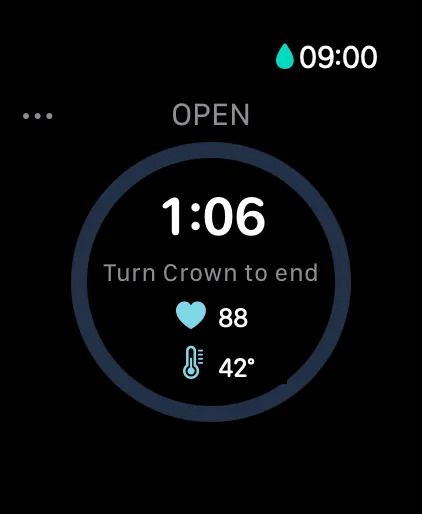
On Series 10 or later and Ultra, PlungeLab supports water-temperature capture when Apple makes the capability available and supplies usable samples. It saves a session temperature after at least three valid samples, using their median. This is an app recording rule, not an accuracy certification. On other watches, or when a reading is unavailable, enter a known temperature manually or leave it unknown.
For a session you already plan to do:
- Choose your session on Watch and start recording. Use the capture walkthrough to learn the controls while dry.
- Let available measurements join the record. Temperature is optional; a missing value need not prevent saving the session.
- Review it on iPhone. Add notes so you remember the setup and any manually measured temperature.
Automatic water-entry detection is available for cold plunge and open water when supported, enabled in Auto-detect plunges, and running through the app’s monitoring path. It is not continuous system-wide detection. Cold showers remain manual-start and manual-end; see our cold shower app guide.
Core session history and Health analysis stay on your devices during ordinary app use. Optional Pro Insights add personal observations as enough usable data accumulates; they do not establish causation or a safe exposure.
Keep the reading with the session. Download PlungeLab free for wrist capture and iPhone history, with manual logging when the Watch stays outside.
Frequently asked questions
Does Apple Watch SE 3 measure water temperature?
No. Its sleep-related wrist-temperature feature does not measure tub water. You can still keep a PlungeLab session record and enter a thermometer reading manually.
Do I need an Apple Watch Ultra for temperature tracking?
No. Series 10 and later also have water-temperature sensing. PlungeLab uses the capability Apple exposes at runtime; permissions and sensor delivery still apply.
Can Apple Watch measure cold shower temperature?
Supported hardware may supply readings, but do not rely on it doing so under running water. PlungeLab requires at least three valid samples to save an automatic session temperature. Otherwise, enter a known value or leave it unknown.
Why didn’t Depth record my cold plunge automatically?
Apple’s dive-logging conditions may not be met in a shallow tub. Manually recording your plunge avoids treating a missing dive entry as a missing session.
Can the Watch replace a cold plunge thermometer?
It can supply a convenient measurement during a session. Keep a dedicated thermometer for checking the water before entry and maintaining your tub. Neither device determines whether a cold exposure is safe for you.
Sources and editorial approach
Written by the PlungeLab team and checked October 23, 2026. Apple hardware, support, and developer sources are linked beside the relevant facts. App behavior was checked against PlungeLab’s source and configuration; this is not a physical accuracy test of every Watch model or an audit of an installed App Store binary. No exposure temperature or duration is prescribed.

Free session capture and history for iPhone and Apple Watch. Talk to the team.